
Philips /
Radiology Workspace
Redesigning radiology workflows and creating shared patterns across products.
UX Designer, Senior UX Designer, UX Project Lead · 2017-2021
Request private screens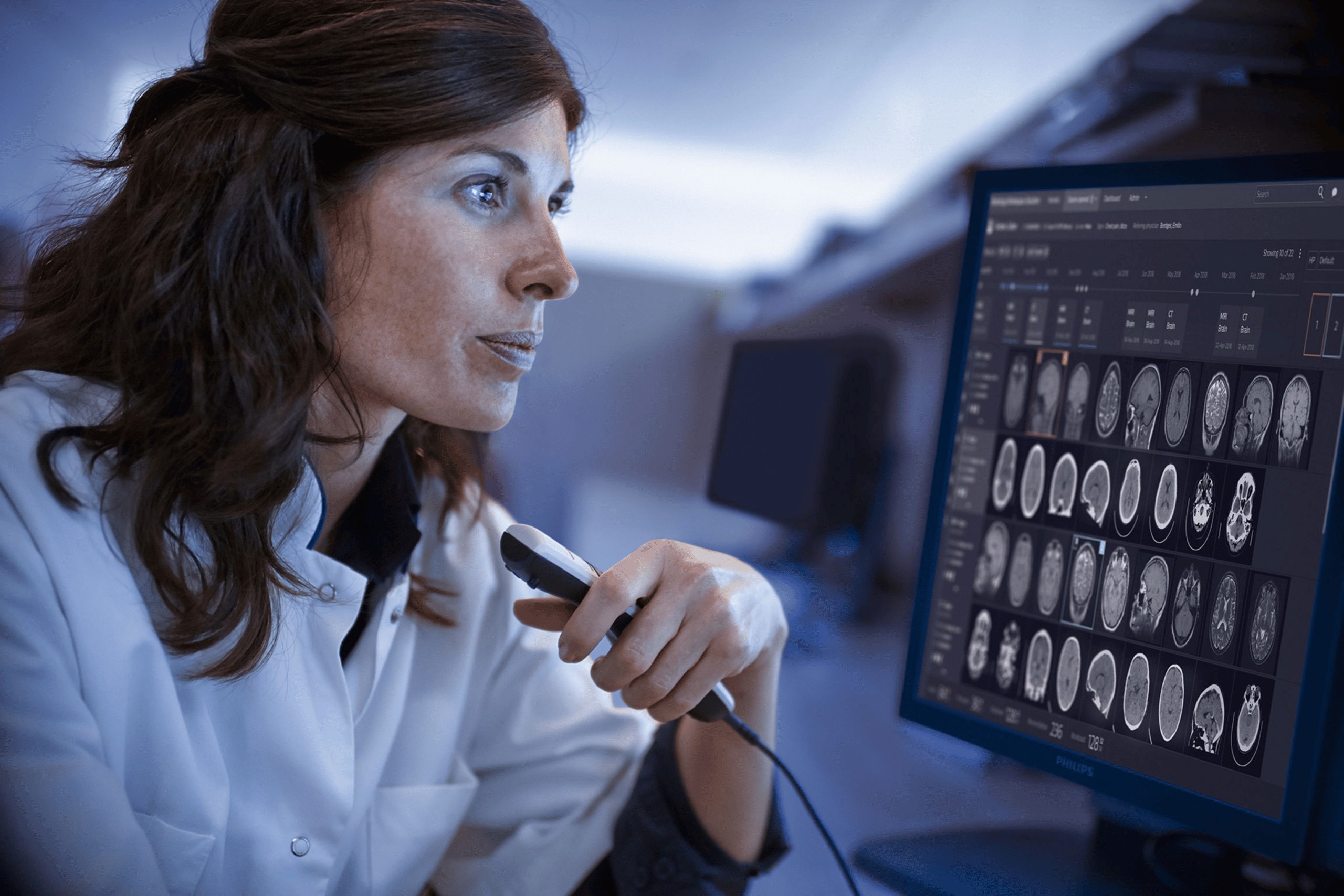
One workspace for radiologists, redesigned workflow by workflow. One shared worklist module, built for teams beyond my own.
- 30+
- Validation sessions
- 170
- Interface problems identified before development
- 40
- High-priority issues
- 2
- Design or usability bugs among 50+ bugs reported at launch
A migration brief. A workflow problem.
Radiologists were reading more exams, in bigger teams, across software from different vendors that did not talk to each other. Information reached them fragmented, while the tools made an already demanding job harder.
The brief was to migrate the product to Philips’ new design language. We observed and interviewed radiologists in hospitals in the United States and Germany, then mapped the product’s functionality, components and workflows before designing.
The research made the opportunity clear: the work needed to go beyond a visual update.
The scope
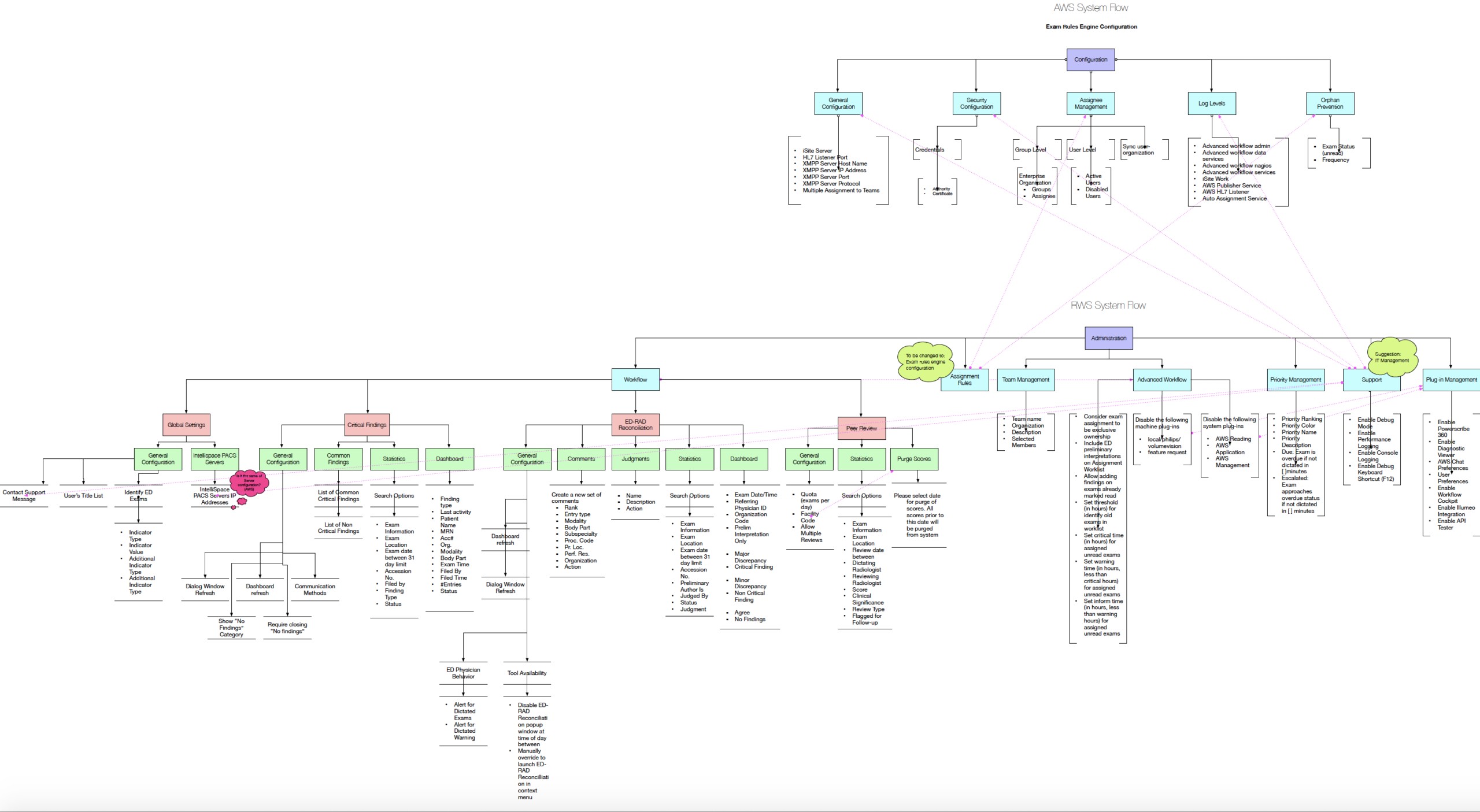
The worklist was the visible part. Behind it sat an admin console with nine modules: worklist management, assignment rules built as a three-step wizard, team and user management, ED-RAD reconciliation, findings management, priority management, peer review, support, and login and settings. Around it, teaching files for education and a flow for parked exams and distributed reading, where an admin can balance the load between radiologists.
The admin console alone grew from 73 screens at the April 2018 share review to 88 in June and 120 in the final 2018 version.
Not one screen. A workspace with an admin console behind it.
Worklist home
- Tabs, scroll, drag and drop
- Alerts
- Right-click and action menus: export, set priority, open in, edit exam, exception, edit patient
- Column editing, search by category
- MDT canvas
Admin console, 9 modules
- Worklist management
- Assignment rules, a three-step wizard
- Team and user management
- ED-RAD reconciliation
- Findings management
- Priority management
- Peer review
- Support
- Login and settings
Teaching files
- Folders: create, share, edit, delete
- Permissions
- Add exam
- Hide patient info
- Tree navigation
Parked exams and distributed reading
- Parked worklist
- Balanced load
- Load balanced by the admin
- 73April 2018 · share review
- 88June 2018
- 120Final 2018 version
Redesign the workflow, not just the screen.
We treated the migration as a redesign of each workflow. Every workflow was rebuilt from field research and validated with Philips clinical specialists and external customers before it went to development.
We split workflows into features so engineering could deliver and improve the system in steps. Issues were prioritised from what users said in sessions: high, medium, low and nice to have. Each feature carried a reference to the source of its requirement.
Find the problems while change is still cheap.
Seven main features went through more than 30 remote validation sessions, each lasting 45 minutes. We identified and fixed 170 interface problems before development, including 40 high-priority issues.
The errors were spent in prototypes rather than discovered by radiologists after launch. Of more than 50 bugs reported at launch, two concerned design or usability.
A pattern bigger than one product.
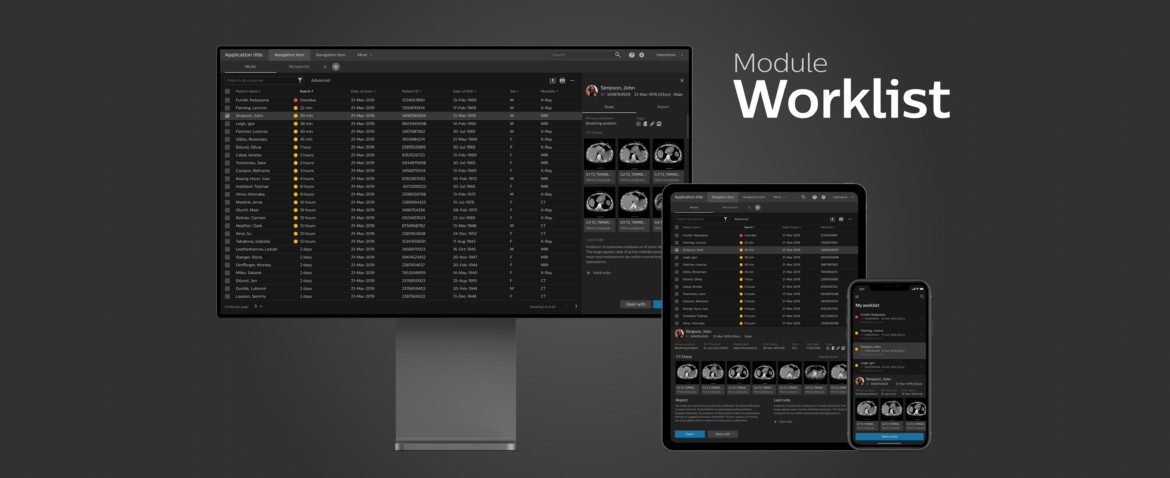
More than ten products had their own worklists, with different design languages and interaction patterns. I co-created a shared module with designers in the United States, Brazil, the Netherlands, Israel and Bangalore.
We ranked features by how many products used them, rather than by who asked first. Filtering was common to almost every worklist, so it came first. Creating a worklist from scratch was needed by two products, so it waited.
This was leadership beyond my immediate team: building agreement around shared needs and making the resulting patterns useful across products.
Built to work without me.
The module’s documentation lived on the official Philips design language hub, supported by a Sketch library on GitHub, collaborative documentation in Confluence, an interactive prototype, a component walkthrough video and validation reports.
Designers in other businesses could start a worklist without going through me. Requests from other products fed a backlog that was reprioritised by how widely each need was shared and how urgent it was.
The lasting contribution was not just a redesigned workspace. It was a set of shared components, guidelines and evidence that other teams could build on.