Lector Live.
Giving the people who run a learning platform the power to build its pages themselves.
The problem
Lector Live is a B2B2C learning platform: institutions run it, instructors teach on it, students learn on it. Live classes, chat, video, content and progress tracking all live in one product.
The admin who sets up an institution's showcase page had a form with a cover image, a name, and three buttons: add a banner, add a carousel, add rich text. On the student side, the interface looked like an older generation of corporate software.
The call
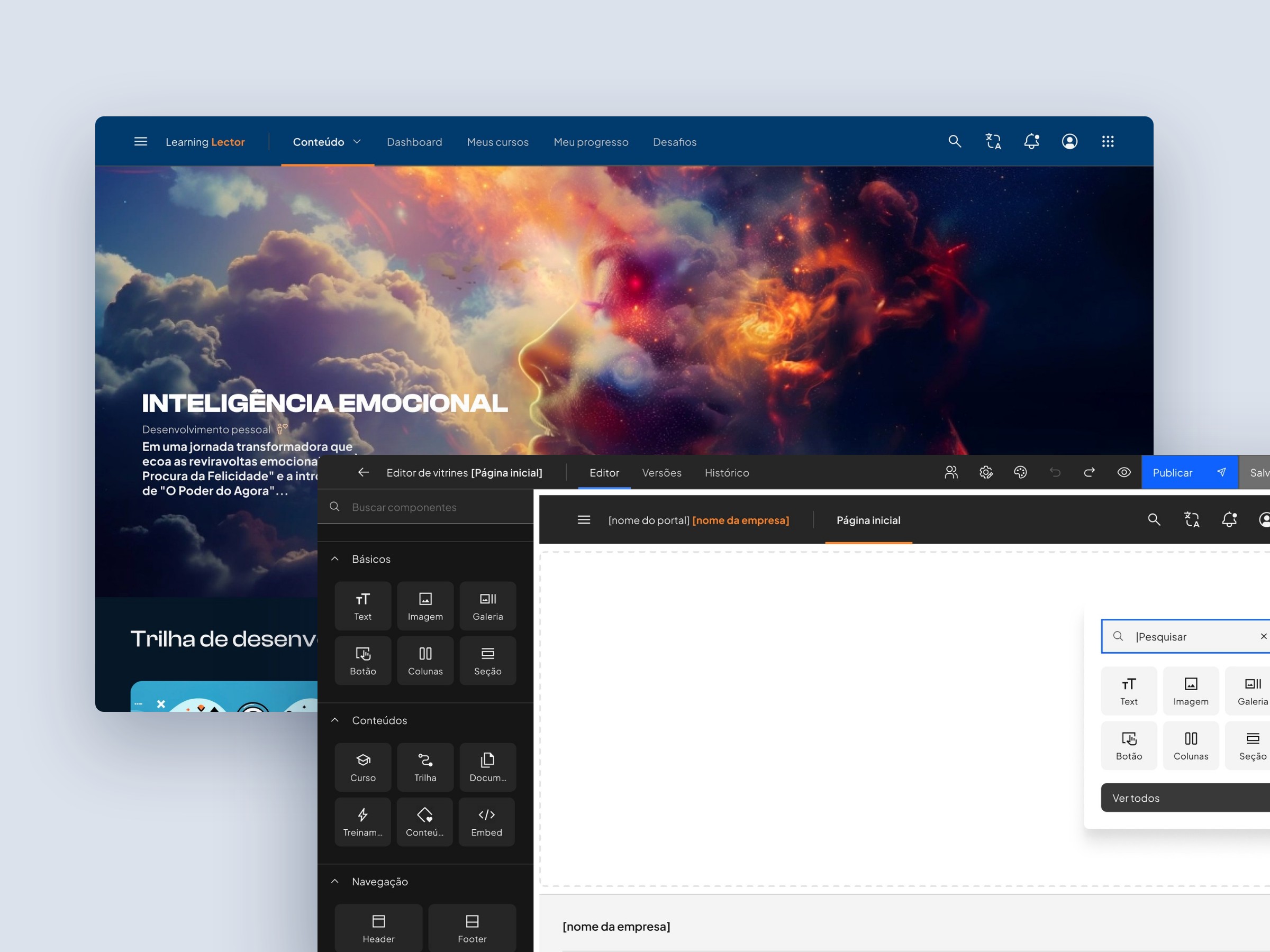
A visual page builder, and not a longer form. The admin now assembles a page from fourteen blocks: basics (text, image, gallery, button, columns, section), content (course, trail, document, training, content, embed) and navigation (header, footer), with versions, history and a separate publish step.
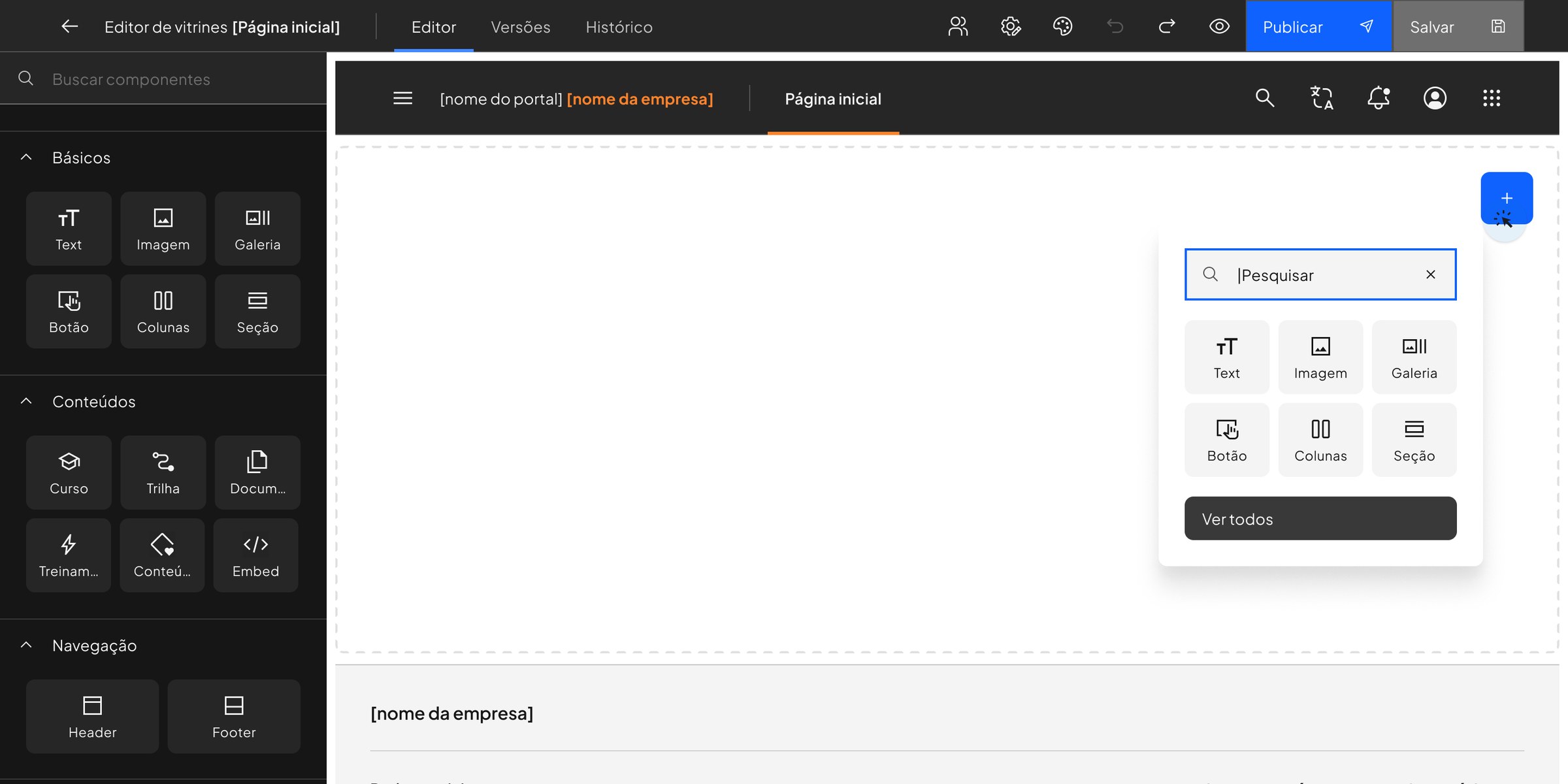
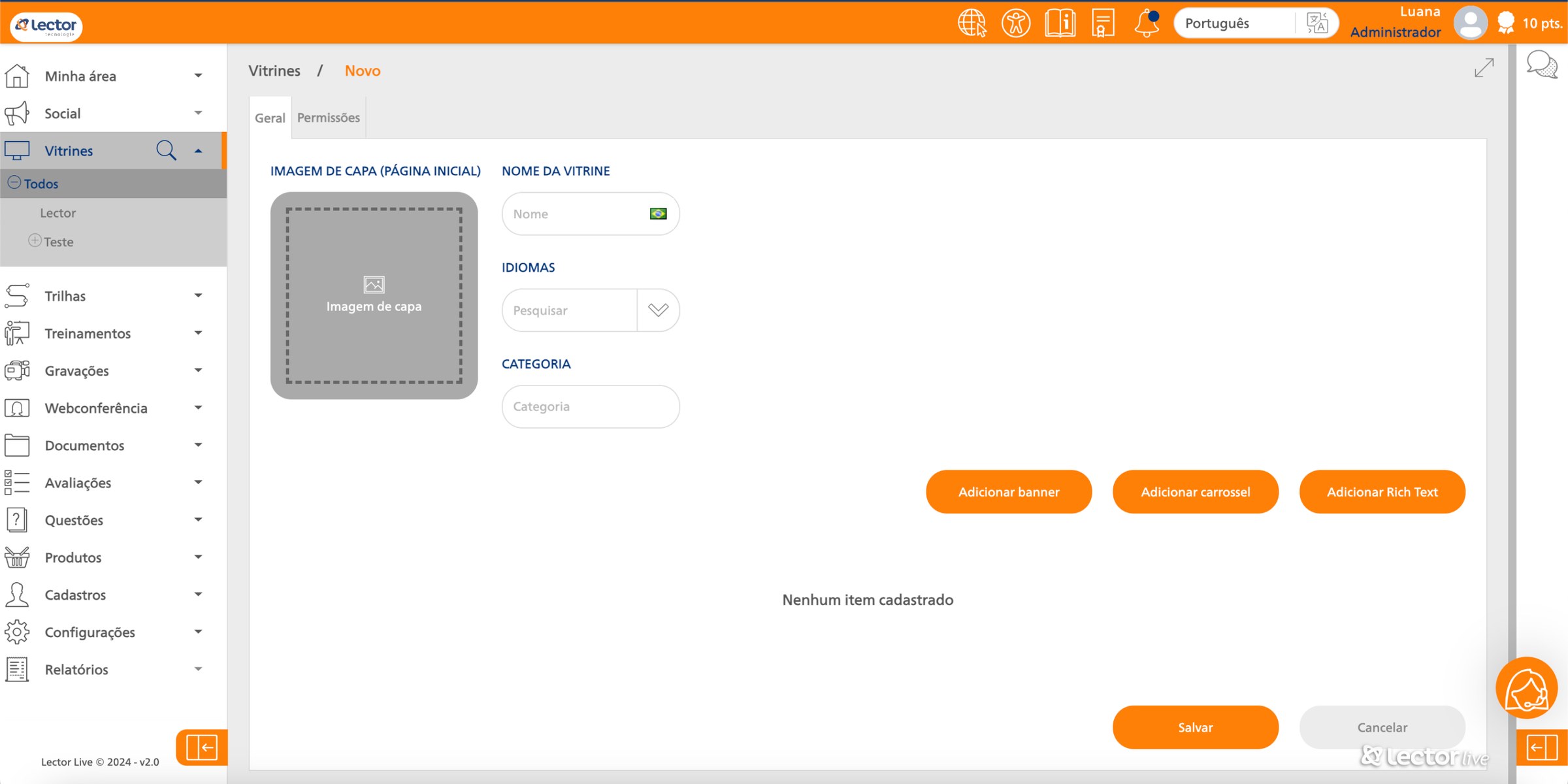 BeforeAfter
How we got there
Four roles use the same platform for four different reasons: the corporate learner, the company admin, the online teacher and the course entrepreneur. We mapped eight archetypes across them, each with a day in their life: what they do, think and feel, hour by hour.
Four people use the same platform for four different reasons.
Corporate learner · 3 archetypes
"I need to finish this."
Needs fast access to material and a sense of progress. Pain long lessons, visual noise.
A home and course page that shows where you are and what is next.
Company admin · 1 archetype
"I need them to understand this by next month."
Needs to follow each employee's progress. Pain a confusing view of the team.
Showcase management by company, with its own pages.
Online teacher · 2 archetypes
"Is the video and audio good enough?"
Needs feedback from students and easy uploads. Pain little feedback, few tools.
Content blocks for course, trail, document and embed.
Course entrepreneur · 2 archetypes
"How do people find my course?"
Needs visibility and a page that stands out. Pain low reach, no way to show their work.
The visual page builder: their storefront, built by them.
The journeys changed what we thought the problem was. For the corporate learner, the low point of the evening is not the content. It is the wait between a question and an answer.
The low point is not the content. It is waiting for an answer.
17:00
Sadness
"I am so tired."
18:00
Boredom
"I need to learn this."
18:00 to 19:00
Curiosity
"I get it, but I have questions."
19:00 to 19:30
Worry
"I hope the teacher can help me."
08:30, next day
Satisfaction
"Finally the teacher answered."
16:00
Confidence
"I hope I do well on the test."
Before drawing a single block, we studied the tools admins already use to build pages, and the storefronts people already trust to choose a course.
Admins already know how to build pages. We borrowed what they know.
How people already build pages
- PowerPoint
- FigJam
- Webflow
- WordPress
- Twygo
Prints, notes and pain points for each tool. The editor kept what admins already use: components on the side, the page in the middle, publish when ready.
How good storefronts sell a course
- Udemy
- Coursera
- Hotmart
- Skillshare
- Spotify
- Amazon
- Mercado Livre
- Sephora
Page by page, what earns attention and what gets in the way: hero, categories, social proof, course detail.
The student side
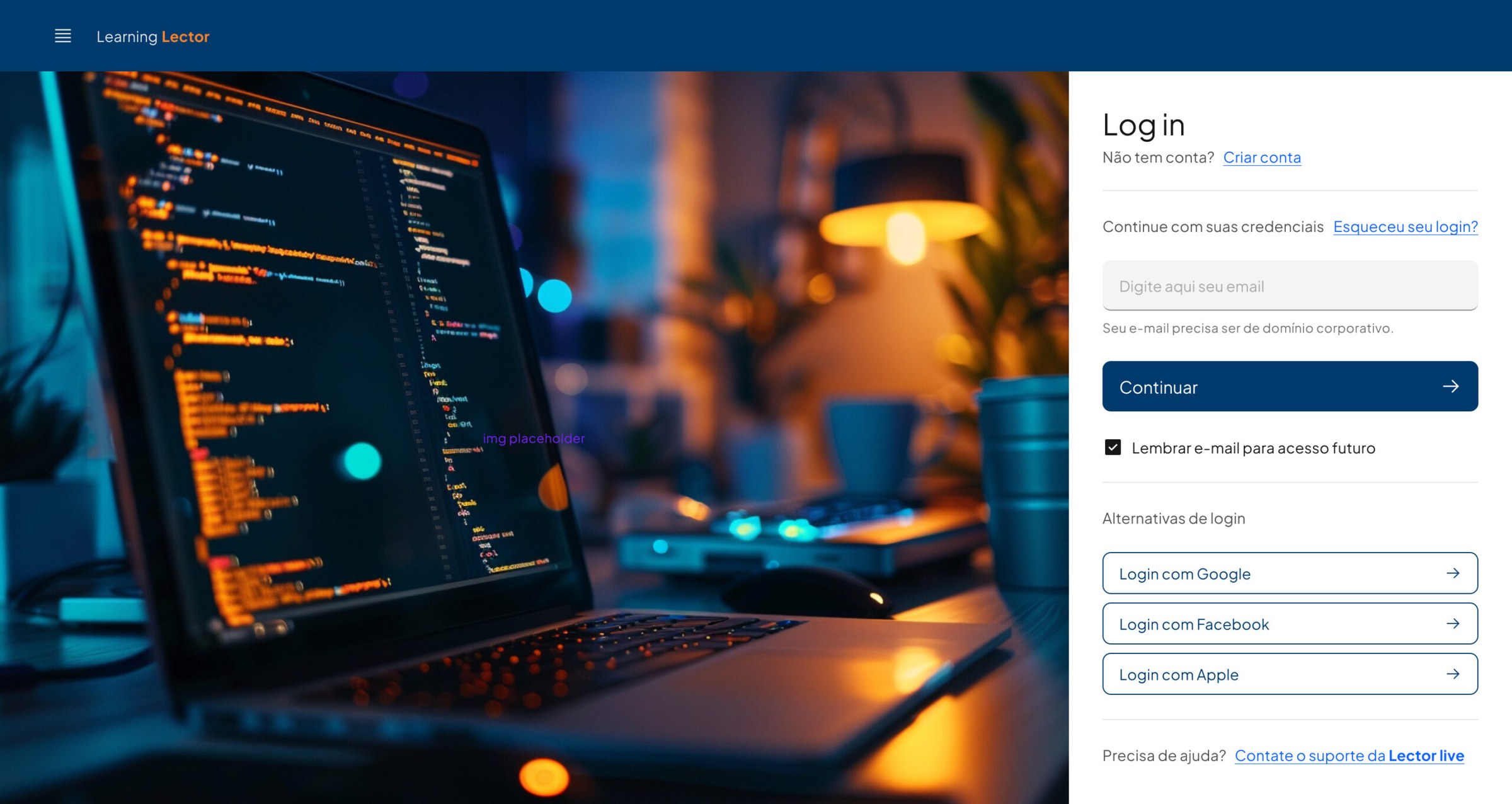
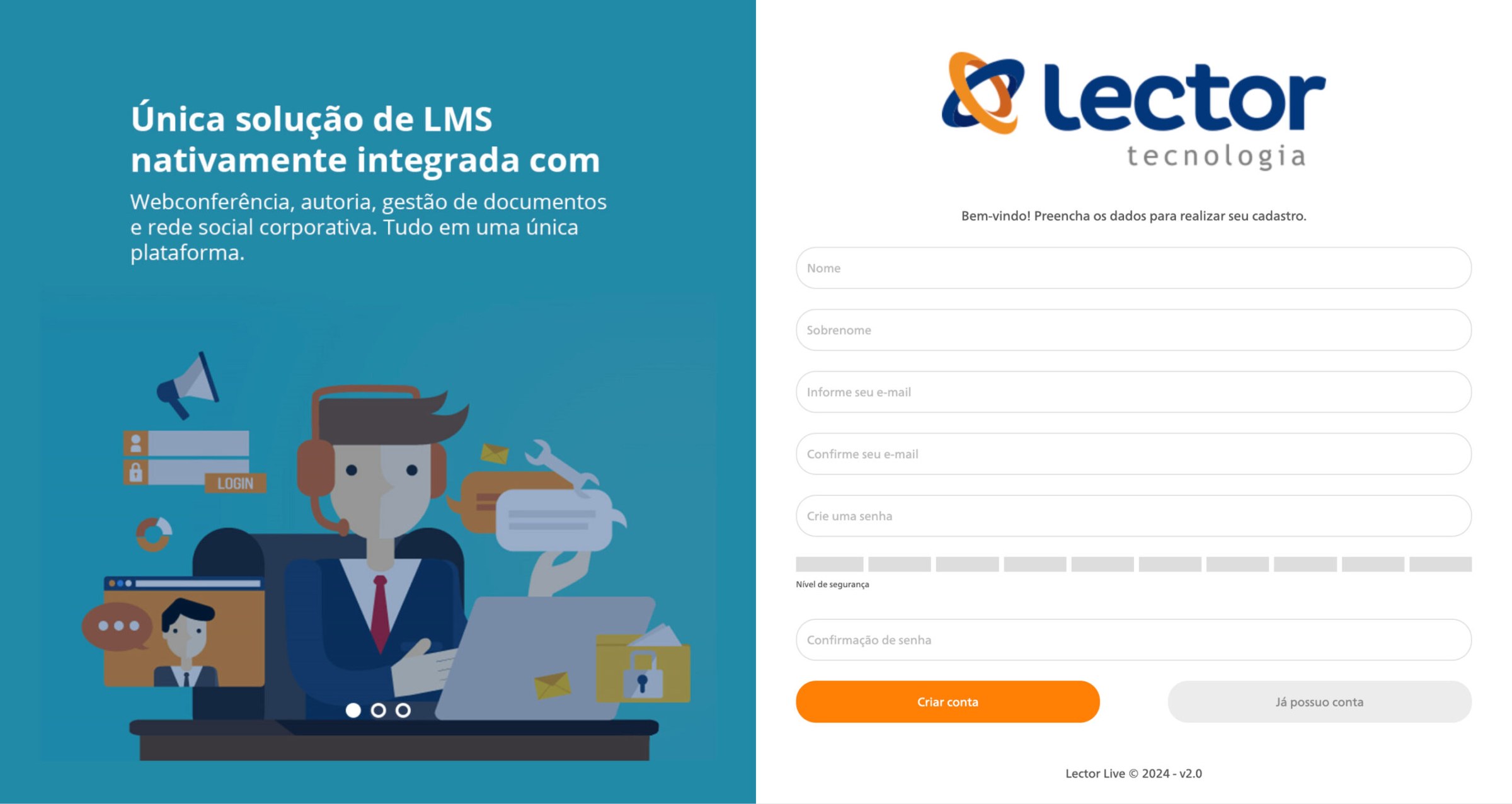
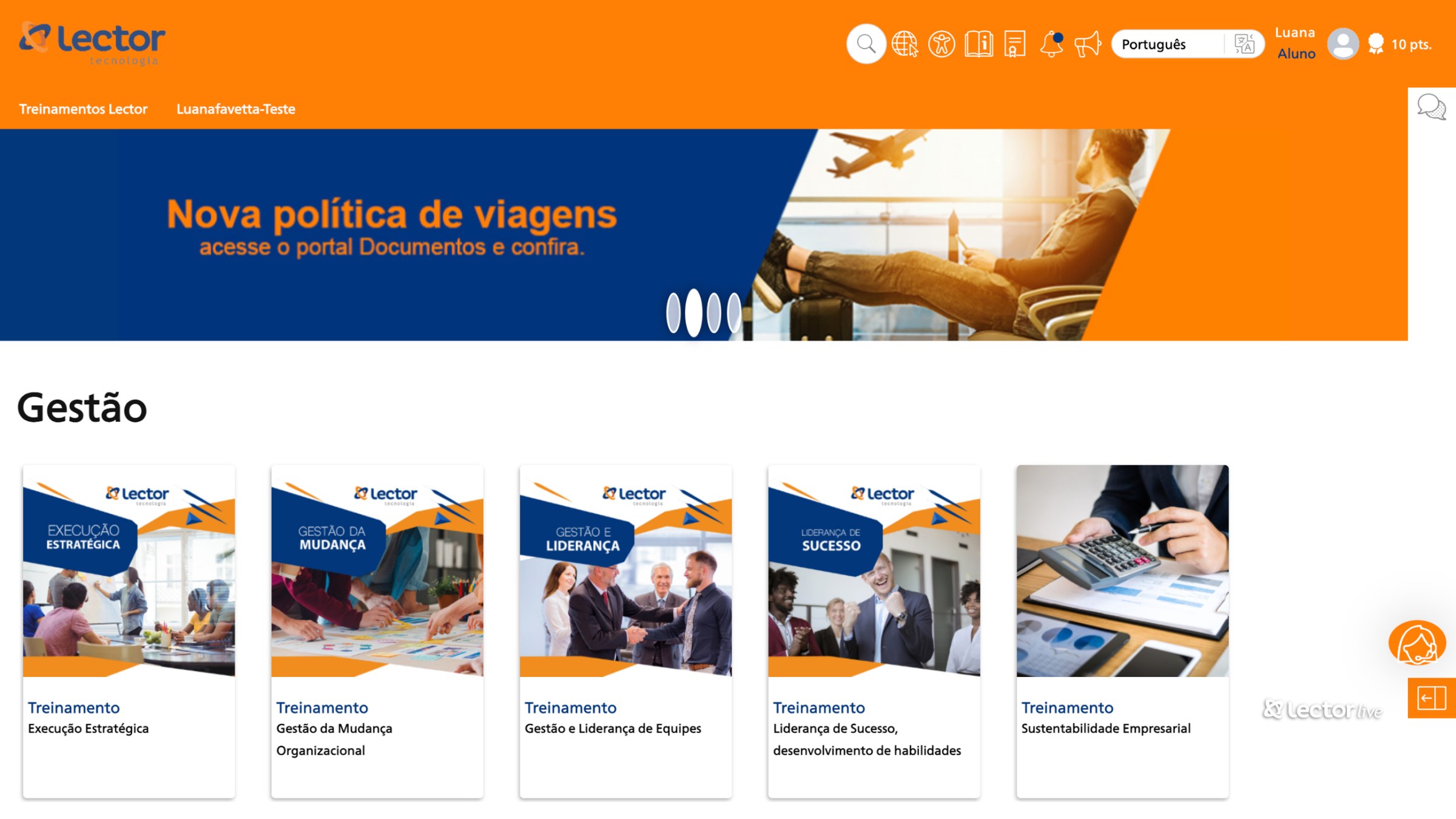
Same platform, same content, a different first impression: sign up, home, course and lesson, redesigned on the new system.
 BeforeAfter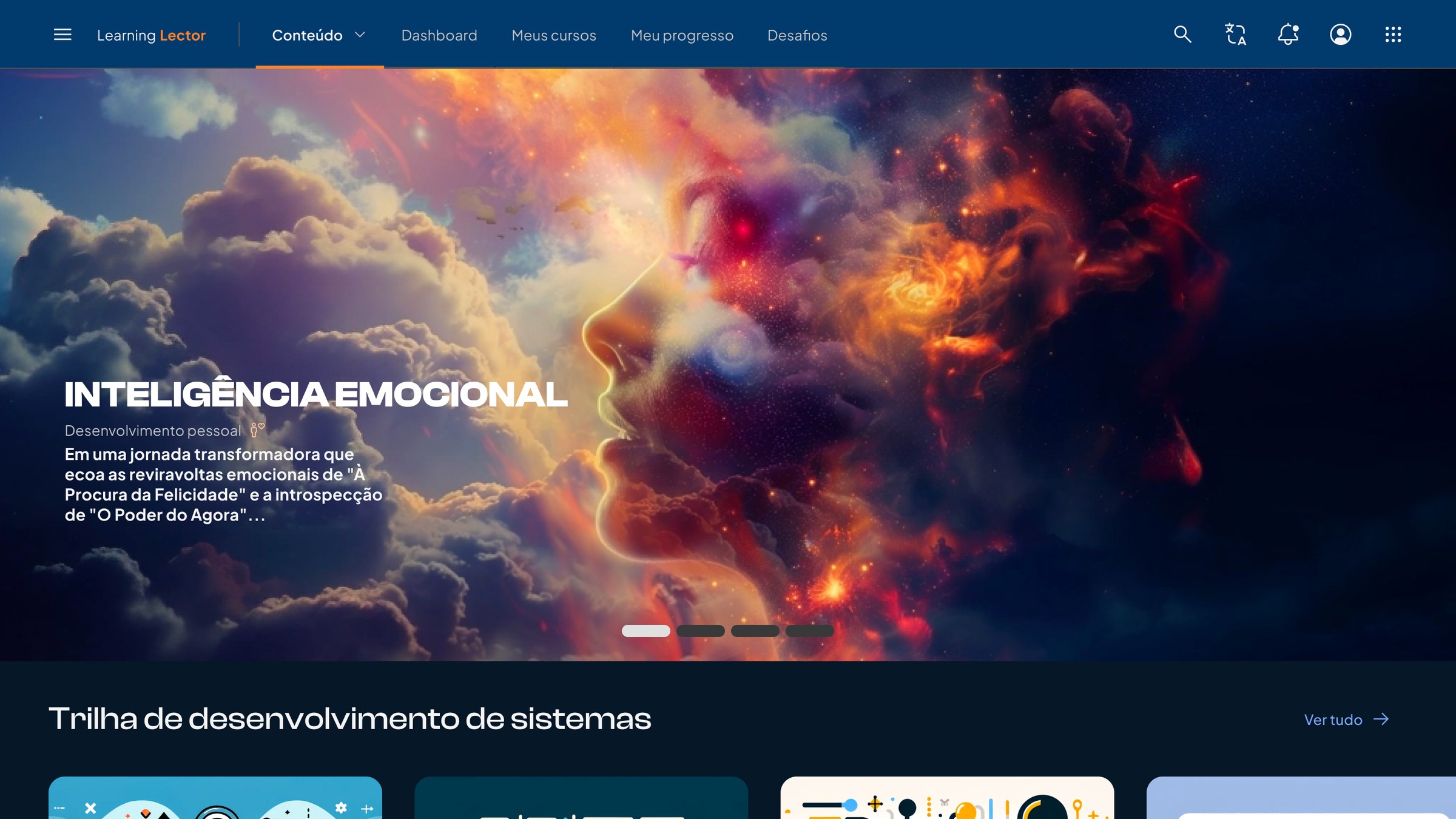
 BeforeAfter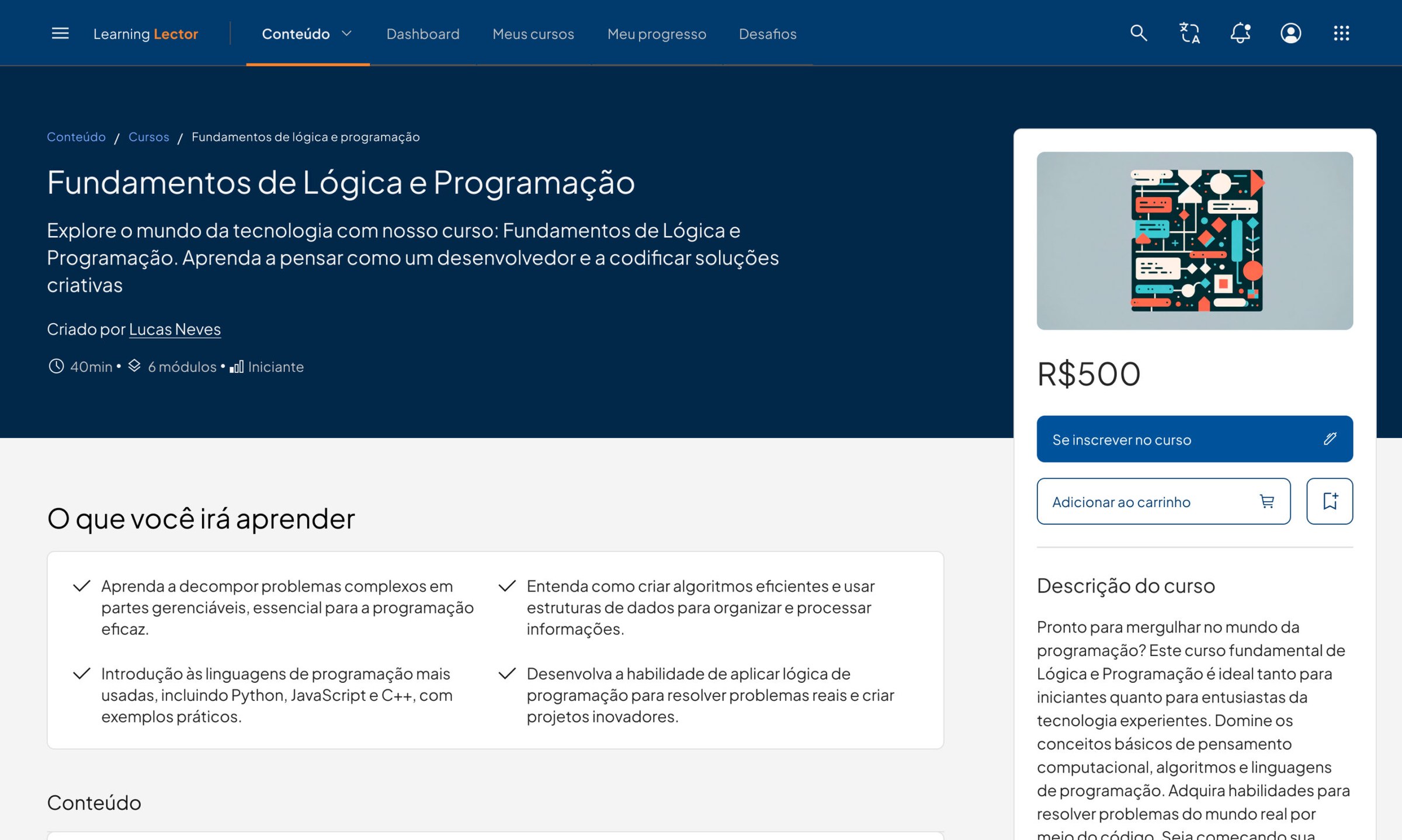
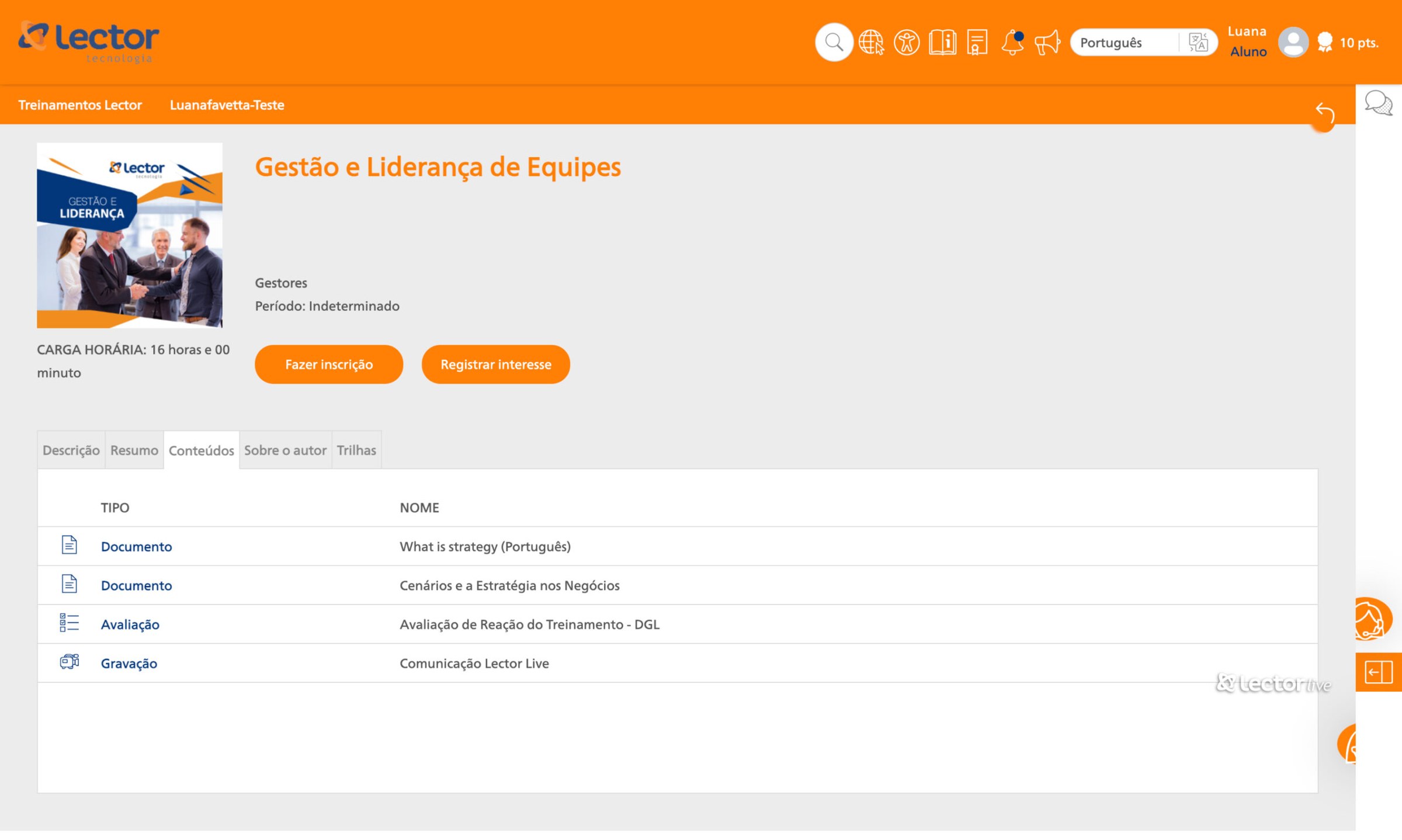 BeforeAfter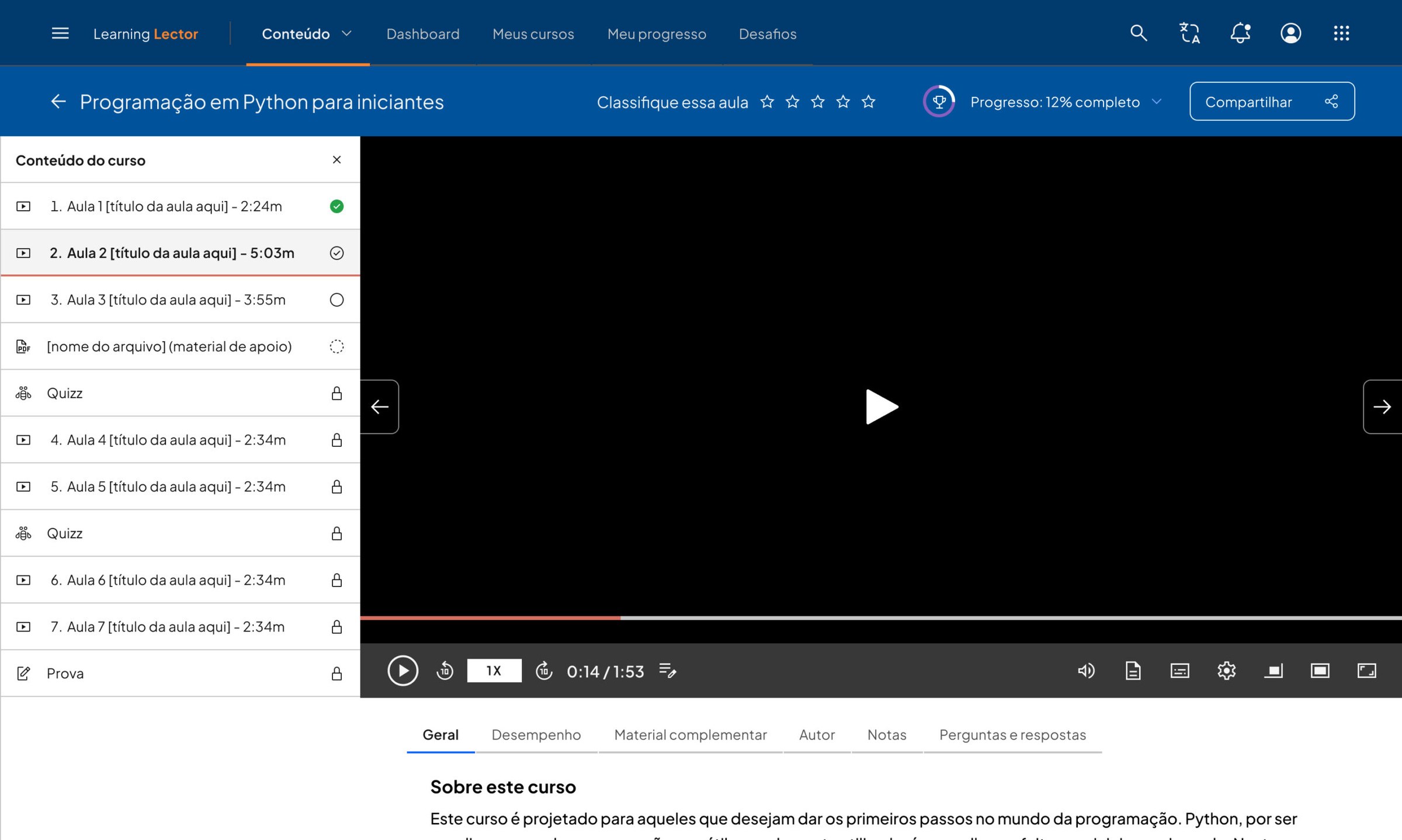
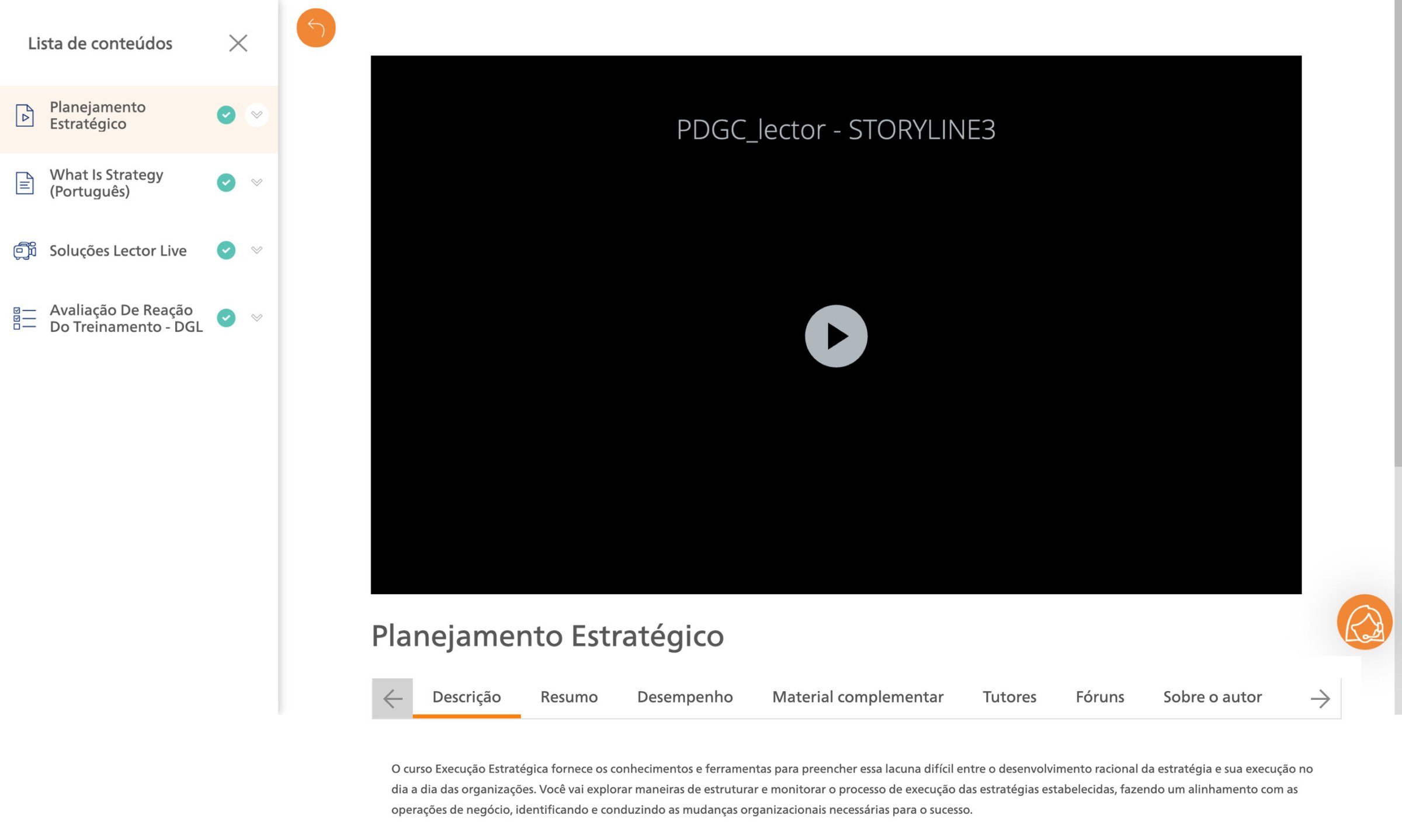 BeforeAfter
What stayed after
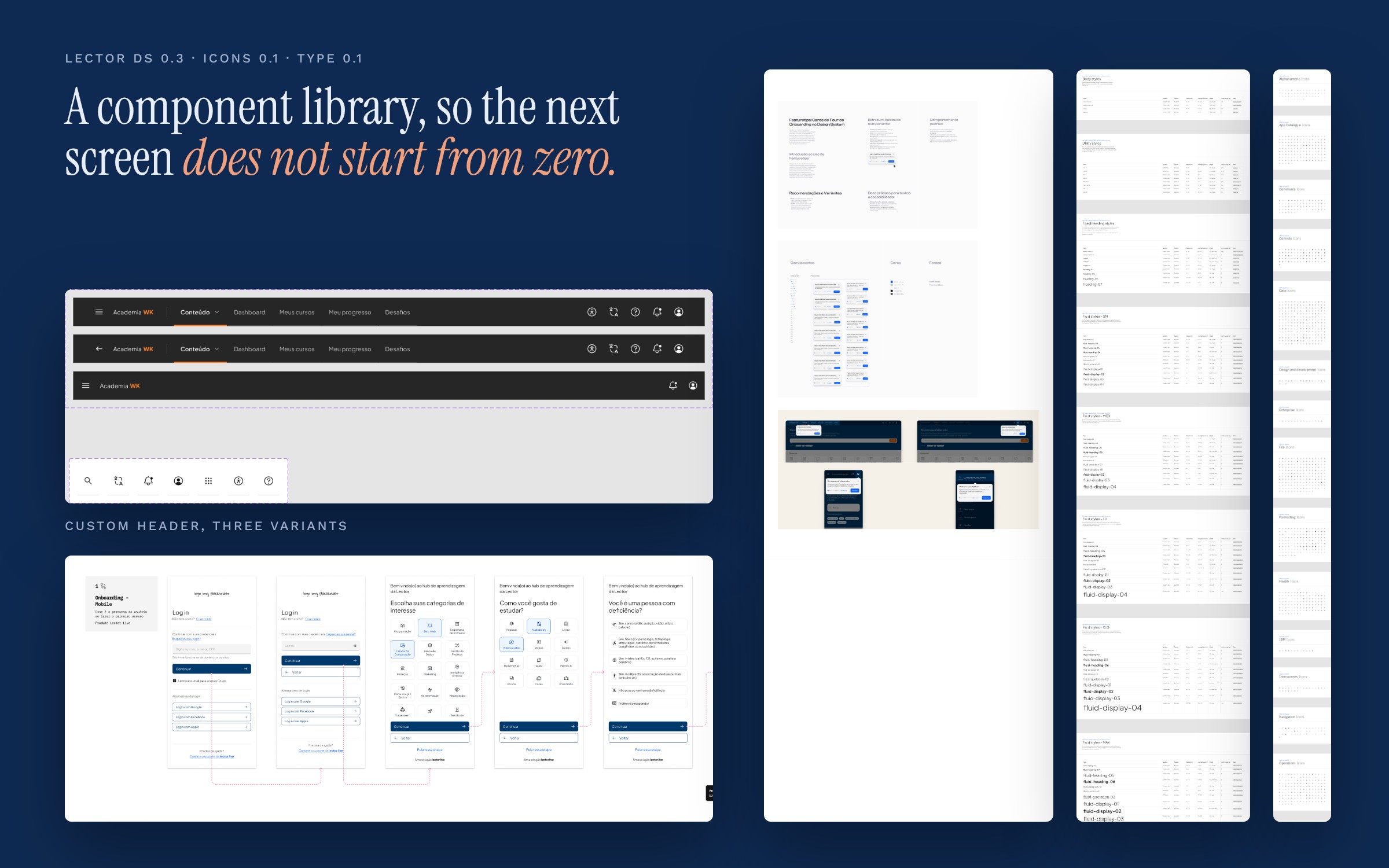
A component library, Lector DS 0.3, with its own icon set and text styles, so the next screen does not start from zero.