
Smart Package.
Package copy, written once, approved by every country, printed on the box.
Under NDA: the client is not named, and the screens are wireframe level with placeholder copy, as in the original.
The problem
Every product model ships to many countries, and every country has its own regulatory rules for what the box must say. Copy had to stay consistent across product models, pass regulatory review in each region, and reach the factory ready to print, directly on the package instead of on a printed label.
Who touches the box
Seven groups of professionals touch one package across five phases: packaging, product marketing, regulatory, admins, localization, the factory and operations. We mapped who does what, and when, before designing a single screen.
Seven groups touch one box. So we mapped who does what, and when.
| Concept | Initial setup | Template and copy | Translation | Press check | |
|---|---|---|---|---|---|
| PackagingLook and feel | Defines look and feel | Box templates, regulatory logos | Updates templates | Line breaks, readability | |
| Product marketingName, features | Localization strategy | Name, features, compatibility | Fills and reviews feature copy | ||
| RegulatoryReviewers in the tool | Trademarks, environmental content | Template by region | Serial numbers, IDs, logos, final review | ||
| AdminsProjects, lifecycle | Project setup, data entry | Regulatory icons | Template review | Final translated review | Exports print specs |
| LocalizationLocal language | Translation samples for layout | Translates and reviews | |||
| FactoryPrints on the box | Country of origin | English content for print | |||
| OperationsQuality | Production samples |
Archetypes before the interface
Before committing to a layout, we explored interface archetypes: a template workspace with the box in 2D and 3D, a context and details view with a product tree, and a tool and canvas editor next to the dieline.
Three ways to hold a package on screen, explored before one was drawn in detail.
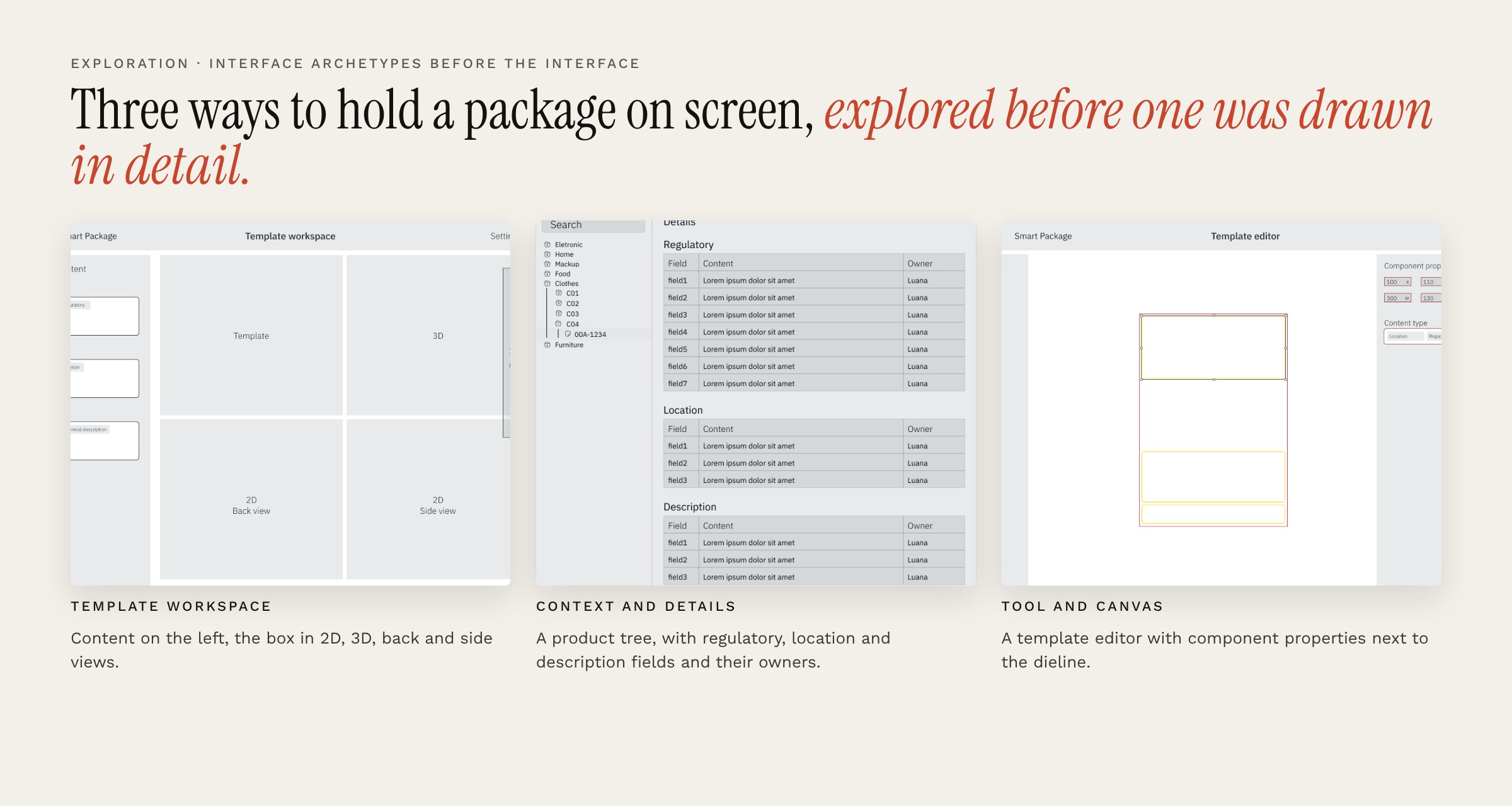
Content on the left, the box in 2D, 3D, back and side views.
A product tree, with regulatory, location and description fields and their owners.
A template editor with component properties next to the dieline.
Five roles, five ways in
Everyone opens the same tool, and nobody sees the same screen. Each of the five roles got its own user flow and its own prototype: the admin sets up programs, products and users; the content owner works from an inbox; the reviewer approves or sends content back; the viewer follows status without editing; and the factory employee receives approved content ready to print.
Everyone opens the same tool. Nobody sees the same screen.
Admin
- Creates programs and products
- Adds users from a list or by hand
- Assigns reviewers
Content owner
- Works from an inbox
- Opens a project, adds documents
- Saves drafts, sends for review
Reviewer
- Reviews content in context
- Approves or sends back
- Quick review from the status list
Viewer
- Read-only inbox
- Sees status without editing
Factory employee
- Receives approved content
- Print-ready, per product
Three screen flows to an MVP
Five page layouts and twelve interface archetypes came first, with screen sizes defined up front, from a phone to a desktop split in thirds. Then three screen flows: 12 screens, then 24 as administration and search arrived, then an MVP of 18 screens numbered as journeys, from review to approved and from draft to inbox updated, with empty states designed instead of left blank.
Three screen flows before the MVP. The MVP kept what the journeys needed.
5 + 12
Layouts and archetypes
Five page layout options and twelve interface archetypes: worklist, funnels, rich text editor, workspace, dashboard, swim lane board.
12
Screens: home, status, project
Home variants, a status list with quick review, and the project page.
24
Screens: administration arrives
Administration arrives: project list, new projects with product numbers, search, drafts. Project creation as a six-step wizard.
18
Screens, numbered as journeys
Review to approved. Draft to inbox updated. Template updated. Search. Empty states designed, not left blank.
Counts taken from the original design files. Desktop at full, two-thirds and one-third width, tablet and phone sizes defined up front.
The product
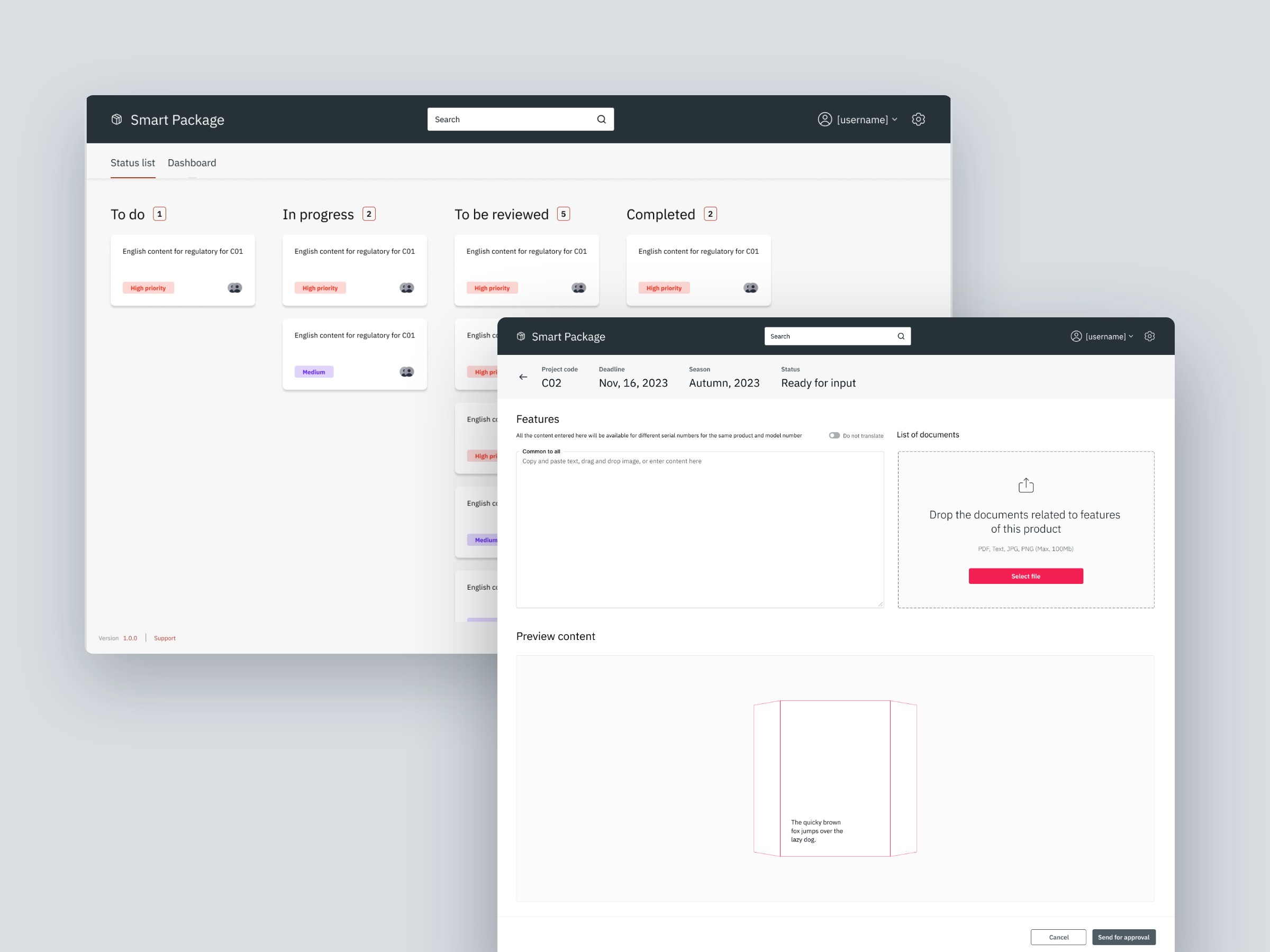
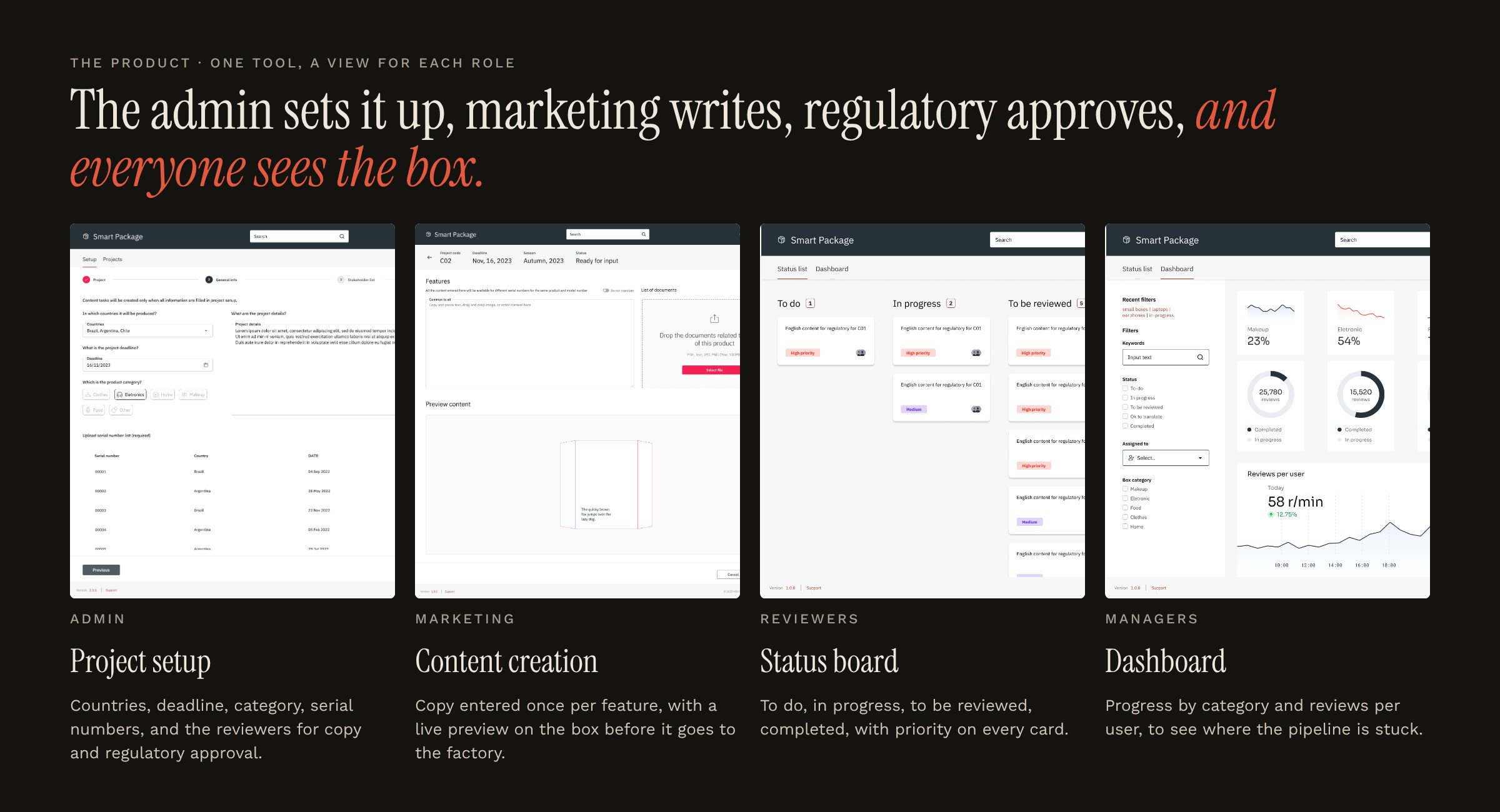
One tool with a view for each role, in the final interface: project setup, content creation with a preview on the box, a status board for reviewers, and a dashboard for managers.
The admin sets it up, marketing writes, regulatory approves, and everyone sees the box.
Project setup
Countries, deadline, category, serial numbers, and the reviewers for copy and regulatory approval.
Content creation
Copy entered once per feature, with a live preview on the box before it goes to the factory.
Status board
To do, in progress, to be reviewed, completed, with priority on every card.
Dashboard
Progress by category and reviews per user, to see where the pipeline is stuck.
Write copy, preview it on the box, and approve it as each role.
Try the prototype